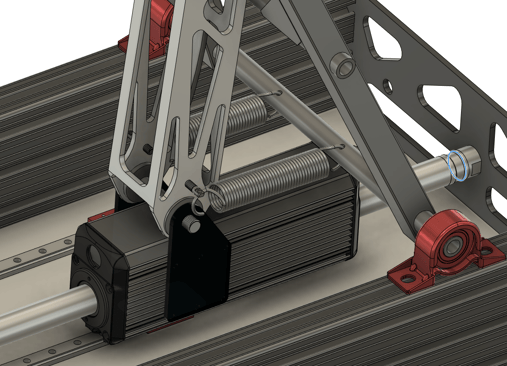
Using Springs with ORCA™ Motors
.png?width=1100&height=220&name=Application%20Note%20Banner%20(2).png)
![DOWNLOAD TN260521 [PDF]](https://no-cache.hubspot.com/cta/default/9494162/2d8601af-6afa-4d1b-a121-f379ffd30e4c.png)
The key for optimized performance of your ORCA Series Smart Linear Motor lies in balancing high directional force with motor power limits. These direct drive magnetic linear motors are able to deliver precise forces when supplied with adequate power, as detailed in the cooling section of the Datasheet. To maximize the effectiveness of these motors in various applications, integrating a spring can be highly beneficial.
Springs can enhance functionality by enabling specific application requirements and also serve as a safety mechanism by establishing predefined positions in the event of a power loss. This article outlines if springs could be a fit for your application and if so, how to select, calibrate, and attach a spring to your motor.
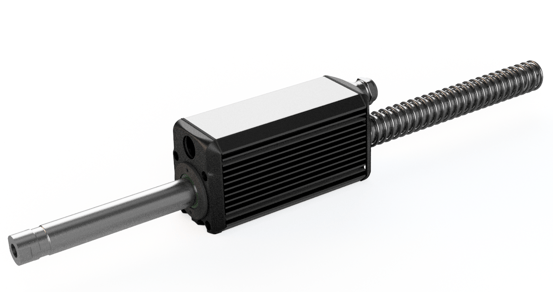
When to Use Springs
- High force is needed in one direction (e.g., offsetting gravity).
- Average power exceeds the rated limit of the motor.
- Safety positions on power loss are desired.
When Not to Use Springs
-
High forces are needed in both directions.
- Minimal noise and complexity is desired.
Example Applications of Springs
|
Industry |
Application |
Benefit |
|
Packaging |
Lifting boxes and materials on conveyor systems |
Springs can counterbalance the weight of boxes, reducing the motor's continuous load and improving energy efficiency |
|
Manufacturing |
Pressing or clamping in assembly lines |
Springs provide additional force in one direction, enhancing the motor’s effective output without exceeding power limits |
|
Safety-Critical Systems |
Automated machinery in factories that need a safe default position during power loss |
Springs ensure machinery moves to a safe position, preventing damage and enhancing safety |
How to Integrate Springs
Selecting the Right Spring
Select a spring with the stiffness and length that will satisfy the force and travel requirements of your application:
- Determine the total travel required and ensure the spring is rated for more than this travel (Length - Compressed Length).
- Decide if the full spring support is required throughout the whole travel, or just the bottom of the travel limit. The spring force increases with compression or extension from its resting position, therefore the spring will support more when fully compressed/extended than at rest. Consult Iris Dynamics for more information specific to your application, if needed.
- Decide on extension vs compression spring, this depends on the surrounding mechanism and geometry of the length of the spring. Typically an extension spring will be easier to install.
Calibrating The Spring
Force sensing is a critical feature of ORCA motors that enables a robotic system to fully understand the motion environment. Springs add a layer of complexity to force sensing, although the on-board position and force sensors enable simple calibration of the motor.
Follow the below steps when calibrating a spring:
- When unloaded, have the ORCA motor set to position sweep the entire length of travel.
- Save the force data with respect to the position, F(x).
- Repeat as many times as desired to improve the consistency of the readings.
- When sending forces to the motor, subtract the calibrated force from the expected Force at a given position.
Attaching the Spring to Your ORCA Motor
There are many ways to attach a spring to an ORCA motor. Some common ways of integrating your spring are listed below:
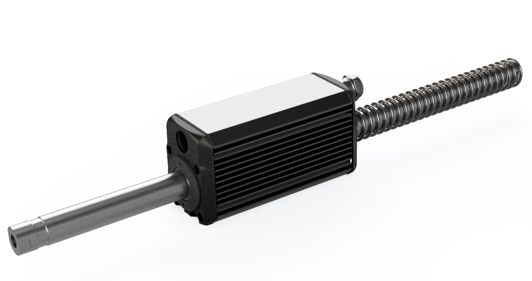
- Non-magnetic compression spring mounted on the shaft itself:
- Extension spring mounted to an auxiliary mechanism